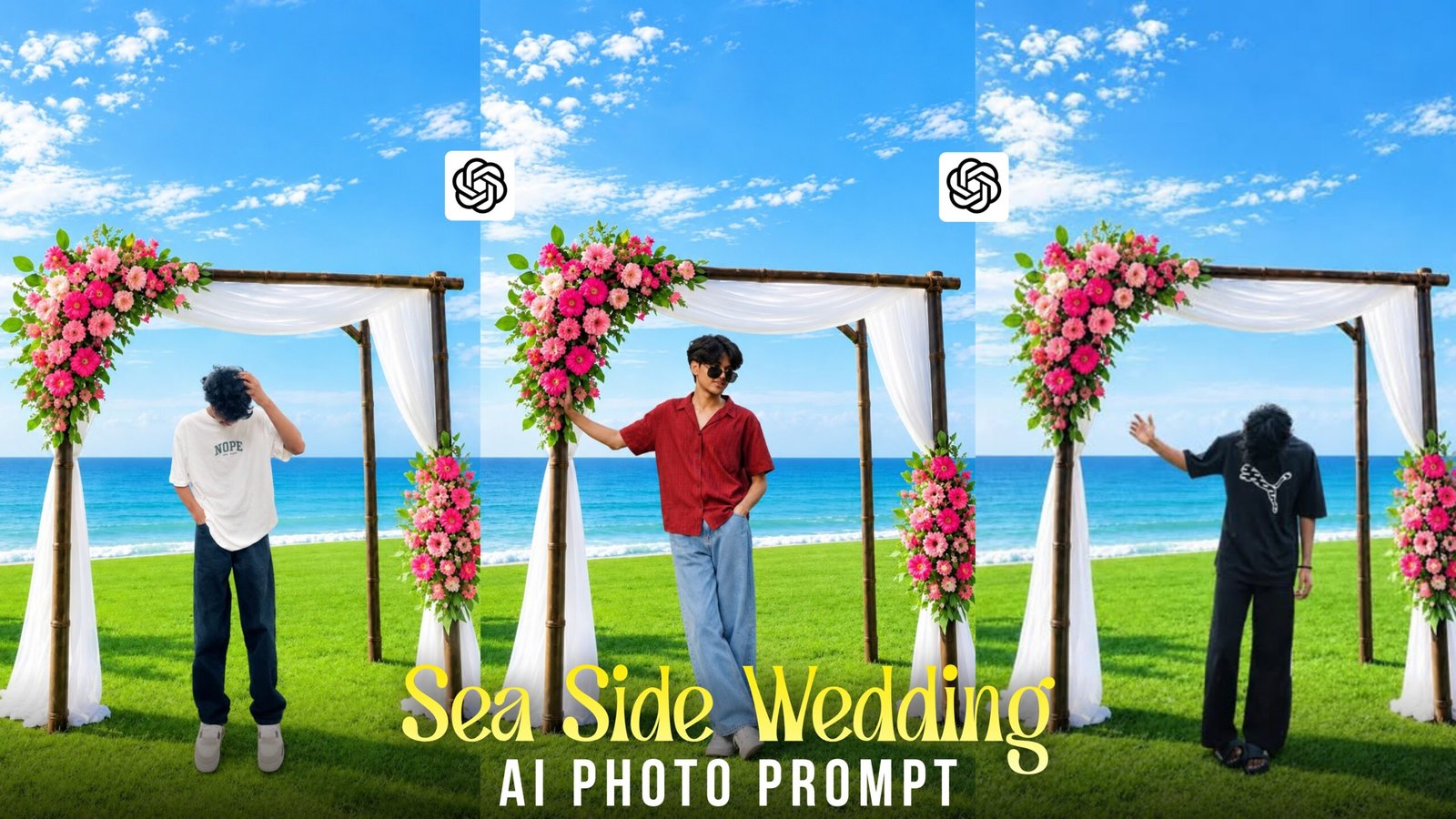
Seaside Wedding Decoration Ai Photo Editing-If you ever visit a high-end beach resort, you might come across a wedding setup so beautifully decorated that you feel compelled to stop and snap a photo. However, taking pictures at someone else’s wedding venue can feel awkward, and many people have only ever seen such elaborate decor in photographs rather than in real life. You don’t need to attend an actual wedding to get such photos—you can create them yourself using AI. You can generate these images and post them on your Instagram account. If you wish, you can also share the AI prompt alongside the photo so that others can create similar images using it; this can help your page grow faster. In this article, I will show you exactly how to create these “seaside wedding decoration” images by following the right prompts and editing steps.
Seaside Wedding Decoration Ai Photo Editing
The seaside environment is naturally so stunning that it requires no artificial embellishments; nature itself sets the perfect stage. However, adding a touch of decor can make it look even more beautiful. There are many people—some who are already married, others for whom it isn’t time yet, and some who avoid it due to the high costs involved. If you face similar constraints, I can help you out. I will demonstrate how to create seaside wedding decor images using AI. And don’t worry—generating these photos won’t cost you a thing. Let me put it simply: if you were shown two wedding photos—one taken in a closed banquet hall and the other by the open sea—which one would you prefer? Most people would choose the seaside photo. That is why photographers, wedding planners, and even creators of artistic content are increasingly drawn to this theme. To generate the image, however, you need more than just AI; you also need a specific “secret prompt.” Reading my article is essential to get that prompt.
What Details Should You Include In The Prompt For Wedding Decoration?
Before writing the prompt, look closely at a reference photo and note the decorations, background, lighting, and models. Then describe each of these clearly:
- Flowers and decor: Mention the exact flowers and setup, like white roses on a wooden arch.
- Chairs: If you want seating near the decor, say so in the prompt.
- Camera Angle: Specify how you want the image to look in the prompt. Use “wide shot” or “wide angle” to capture the entire setting and the sea, or “close-up” to highlight the face and details.
- Couple or Solo: Indicate whether the image should feature a couple or a single person, and specify the pose. For a couple, you might use “hand in hand” or “facing the sea”; for a single person, try “solo portrait,” “standing near the arch,” or “looking at the sea.”
- Photo Quality: To ensure high image quality, add these keywords at the end of the prompt: 4K, high resolution, sharp focus, and natural skin tone. This makes the image clearer and more realistic.
- Lighting: Choose the time of day, such as soft morning light or warm afternoon light.
- Background: Write details like “sea view” or “calm ocean with blue sky.”
- Realism: Add keywords like “realistic photo.” If your tool lets you upload a reference image, use that option too.
How To Create Seaside Wedding Decoration Ai Photo ?
Knowing what to prepare beforehand is crucial for creating a seaside wedding photo. First, have a photo of yourself ready to upload to the AI tool. Generally, the clearer and higher the quality of your original photo, the better the final AI-generated image will turn out. Next, you need to create a prompt suitable for a seaside wedding. You can use the prompt I have provided below to try and recreate a similar wedding setup, seaside background, lighting, and overall look. Then, choose an AI tool. Currently, you can create such images using various AI tools like Meta AI, Leonardo AI, ChatGPT, and Google Gemini. Feel free to use whichever one you find easiest to work with. Now it is time to start the actual editing process. The steps below explain how to upload your photo to the AI tool, where to enter the prompt, and how to generate the seaside wedding photo.

Place this person in the second photo
in a realistic manner and adjust them
to match the second photo; do not
change anything Else. Keep the
background exactly as it isdo not
alter it at all -and do not change
the face or body size. Enhance the
image to 4K quality and set the
aspect ratio to 3:4
- Download the photo I shared earlier; we will use it as a reference for the background. Next, copy the short prompt provided below. Then, use an AI photo generation tool. Once you open the tool, look for the ‘plus’ option and click on it to access your gallery. From the gallery, add both the reference photo I shared and your own photo. After that, paste the prompt you copied and hit send. Wait a few moments, and your seaside wedding photo will be generated. I used ChatGPT to generate the photo—don’t forget to let me know in the comments which AI tool you are using.
Common Mistakes to Avoid
Are the faces not rendering correctly or the image not turning out right after generation? Then follow these guidelines:
Keep the provided prompt unchanged: Do not add anything extra if you are using the prompt I provided.
Match the number of chairs: If writing your own prompt, specify the exact number of chairs corresponding to the number of people; otherwise, the image might show too many or too few chairs.
Avoid incorrect color grading: This image does not require a heavily cinematic look; it is better to keep the colors light and bright.
Prevent blurry faces: To ensure faces appear clearly, upload a high-quality, sharp image where the faces are clearly visible.
Following these rules will significantly reduce issues during image generation.
FAQ
- What should the reference image be like?
To ensure the face matches correctly, keep these points in mind regarding the reference image. Do not use a photo where sunglasses are worn. The photo must be taken from the front so that the entire face is visible. The photo should have good lighting. Most importantly, the image must be sharp and not blurry.
- Can I create both couple and solo photo using the prompt?
The result follows the photo you upload. A photo of one person generates a solo image, and a photo of a couple generates a couple image. For better accuracy, also mention it in your prompt, such as “solo portrait” or “a couple standing hand in hand, facing the sea.”
- Does this prompt work with all AI tools?
It works with almost all AI tools, though not all tools are the same. Some are more powerful, while others might produce lower-quality images. Generating images with ChatGPT or Google Gemini usually yields good results. Free usage limits vary by tool, so be sure to check them before you start.
Overall
For those unable to visit the seaside for a photoshoot due to budget constraints, using AI to create images for free is a simple and cost-effective solution. You can use these images for your status updates or post them on social media. A seaside setting is naturally beautiful, and adding lovely decorations makes the photos look even more stunning. If you are looking for free tools, you can use ChatGPT or Google Gemini. These tools allow you to generate a few images for free, though the specific limits may vary. I hope that by following these tips, you will be able to generate images with ease. If you encounter any issues, please let me know in the comments; I will certainly respond.

Black bajjy and pink shart
Adil
For the two-photo edit here, matching the light direction and camera angle should help the person fit into the seaside scene. A sharp face reference helps, but shadows under the feet also deserve a close look. Asking for 4K alone won’t fix a soft face or mismatched lighting. https://www.aimediagenerator.app/ is another option for working from photo references and requesting follow-up edits in one chat. I’d keep each revision focused on one issue, such as the shadow or skin tone, while asking to preserve the arch and ocean background.