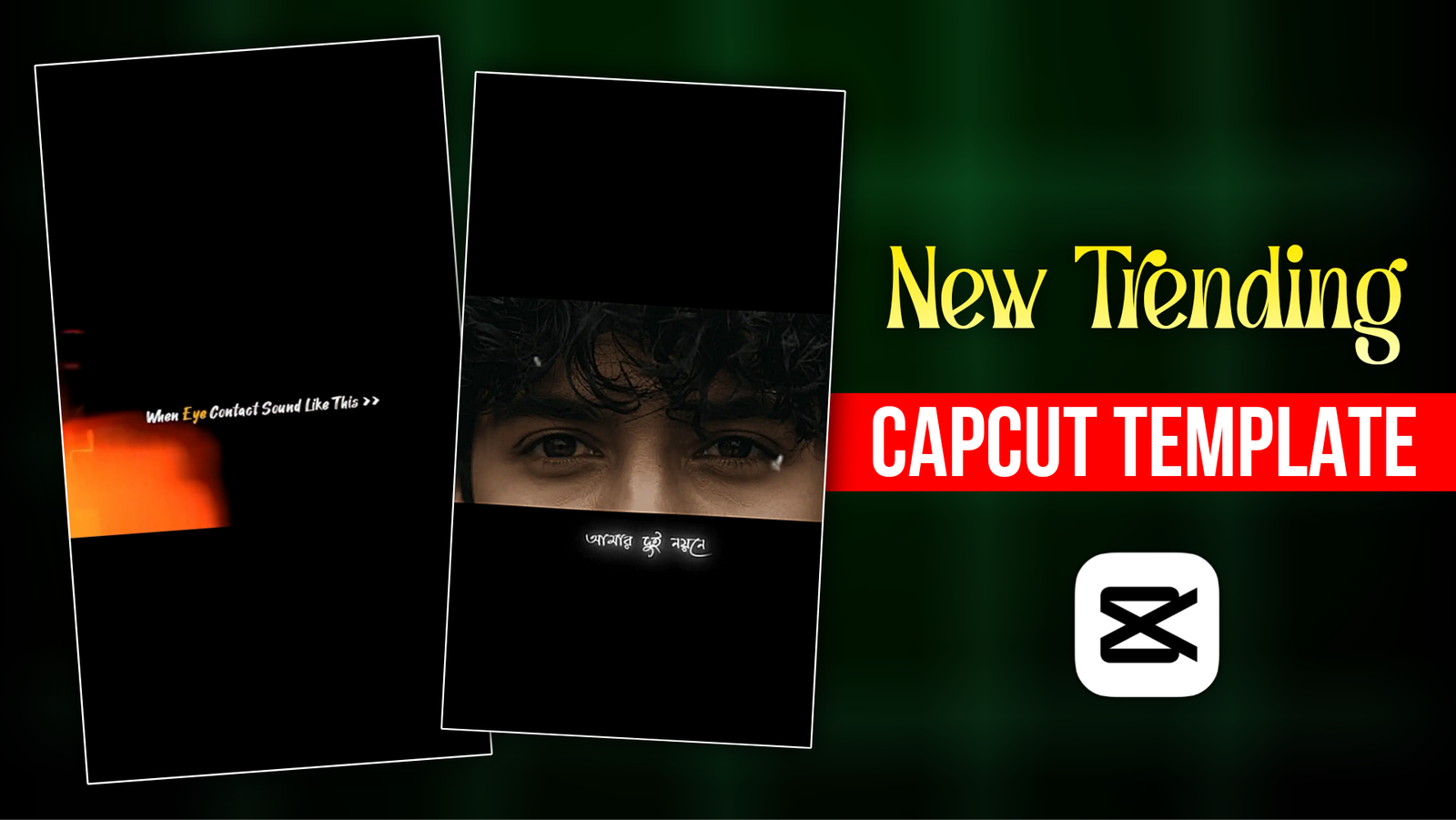
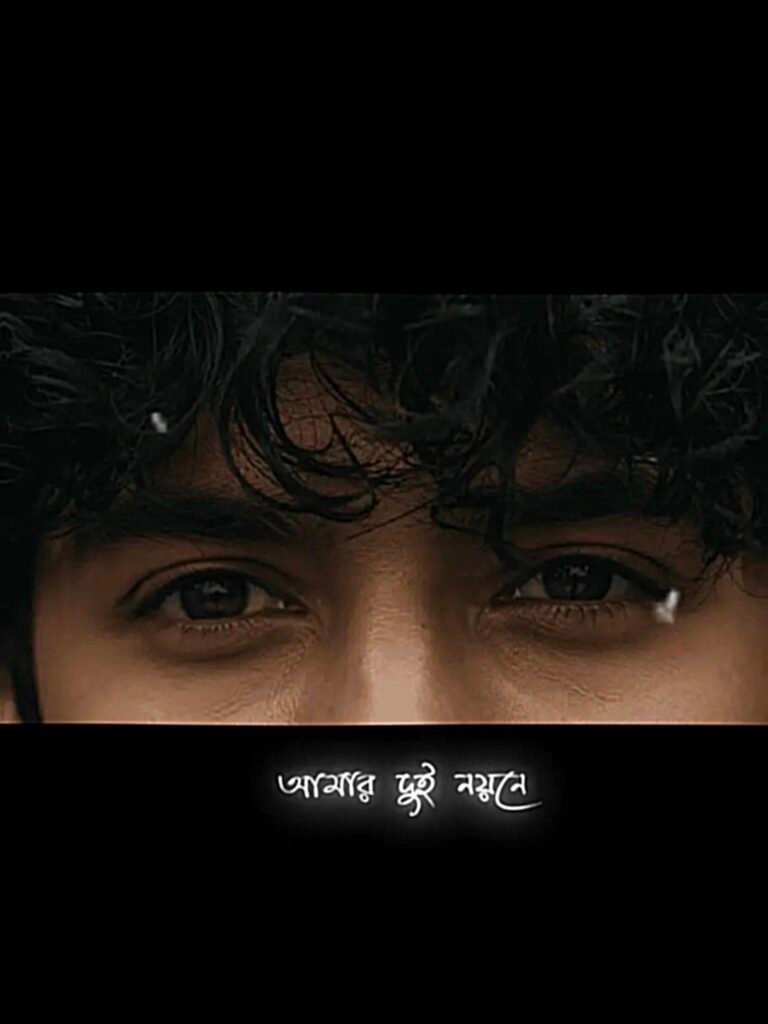
Mon Befana Song Eye Capcut Video Editing –The song ‘Mon Befana’, posted about 3 weeks ago, is now quite the buzz. Already clocking over 9.5 million views on YouTube. A lot of people are making videos using this song on Instagram as well. I’ve noticed that videos made with a certain editing style get relatively more views. In this style, the first four seconds of the video are written on the screen ‘when eye contact sound like this. Right after that the song starts playing. Immediately, the lyrics ‘Tomare na vala lage aram doi nayne’ appear on the screen. Followed by a close-up image or video of a model’s eyes. You might think that creating this video involves difficult editing. However, if you use a CapCut template. You can easily create the video without any complex editing. I have created a template myself where I’ve already added the lyrics and an eye image. All you need to do is replace them, and your video will be ready. To make this video you need two apps – Capcut, Chat Gpt. Let’s see exactly how to make it.
Mon Befana Song Eye Capcut Video Editing
“I really liked the video the moment I first saw it—the lyric timing, text animation, and the visuals of the eye all come together beautifully. The most crucial element is the video clip or image of the eye; however, don’t think that *only* an eye image or video will work—you could even create this using a simple selfie video. That said, a close-up video of an eye works best to truly capture the mood of the song. To create this video, you’ll need two apps: CapCut and ChatGPT. If you don’t have a high-quality image or video of an eye, you can generate one using ChatGPT with the prompt provided below. Then, simply use that image to create the full video with a CapCut template. In this article, I’ll show you exactly how to create this ‘eye contact’ style video—covering the type of clips or images you need, where to find the template, and how to use it.”
What Need To Create Mon Befana Song Eye Video?
“To create this ‘Mon Befana’ music video, you primarily need four things:
1. Have a close-up video or image of an eye ready. It is best if you can shoot it yourself, but if not, you can generate an eye image using AI.
2. You will need the CapCut app to use the template—this specific template works only in CapCut and won’t function in other apps.
3. If you want to generate the eye image yourself, you will need ChatGPT—you can download it from the Play Store. I have provided a prompt below; simply copy and use it in ChatGPT to generate the eye image.
4. There are two options depending on your editing experience: if you have no basic knowledge of editing, you can use the CapCut template directly via the link provided below. However, if you have some editing skills, I will show you how to create the lyrics and effects featured in this video yourself using CapCut.
How I Created This Mon Befana Song Eye CapCut Template ?
I am sharing the steps I followed to create this template so that you can make the video using the same method.
First, I created a new project in CapCut and added the song. I added a text overlay—”when eye contact sounds like this”—spanning the first four seconds of the song, along with a “Light Leak” effect (which you can find by simply searching for “Light Leak” in CapCut). Next, I added the photo of the eye to the timeline and extended its duration to match the length of the song. Then, listening closely to the music, I used the Text tool to type out each line of the lyrics individually, ensuring they were perfectly synced with the song. Finally, I added two effects—”Ripple” and “Retro”—which can also be found by searching within CapCut. After arranging everything correctly, I exported the project to create the template that I am sharing with you today.
How To Use Mon Befana Song Eye Capcut Video Template?
To create this video for the song ‘Mon Befana’, you first need to find the template. I created this template myself and have provided the link below—you can use it to make the video.
Before clicking the link, have the video or photo of the eye (as mentioned earlier) ready. Now, click the link; a new page will open where you will see a button labeled ‘Use Template in CapCut’—click on it. Another page will open where you can play the template preview to get an idea of what your video will look like. There is a blue ‘Use Template’ button there; click on it. Next, add your video or photo and click the ‘Next’ button—your video will start generating. Just wait a moment, and the video will be ready. Once the video is ready, play it back to check if the lyrics and music are properly synced. If everything looks good, export it. That is how you can create a video using this template.
How To Find And Use Eye Photo Prompt?
To create an image of an eye using AI, you need ChatGPT and a specific prompt. While using ChatGPT is easy, you might be wondering where to find the prompt. Don’t worry—if you can’t write the prompt yourself, simply click the link below. I have saved the prompt in a Google Document, so you can easily copy it from there. To use the prompt, open ChatGPT, click the ‘Plus’ icon, and upload a selfie from your gallery. Then, paste the prompt and click the ‘Generate’ button—an image of an eye will be created for you in moments.
How To find Unlimited Template In Capcut?
Many types of videos go viral on Instagram, but it is often difficult to find the specific template used to create them. Here is a simple trick to help you find the template for any viral video.
- First, download the CapCut app. You will see five tabs at the bottom: Edit, Template, AI Lab, Library, and Me. Clicking on the ‘Template’ tab will reveal numerous currently trending templates. If you cannot find the template for your preferred video directly, use the search bar at the top to search for the song title or video style; this will display all templates associated with that song or style. This is how you can find the template for any trending video.
Overall
That is how you can create this ‘Mon Befana’ video by generating an image of an eye using ChatGPT and a CapCut template. If you prefer not to shoot the video yourself, you can simply generate the eye image using AI—if the result isn’t quite what you wanted the first time, just give it another try. Using a template will get the video ready quickly, whereas editing it yourself—even if it takes longer—will help improve your editing skills; this will prove useful later when you want to create your own edits based on ideas from viral videos. Don’t forget to let us know in the comments what you thought of this article!