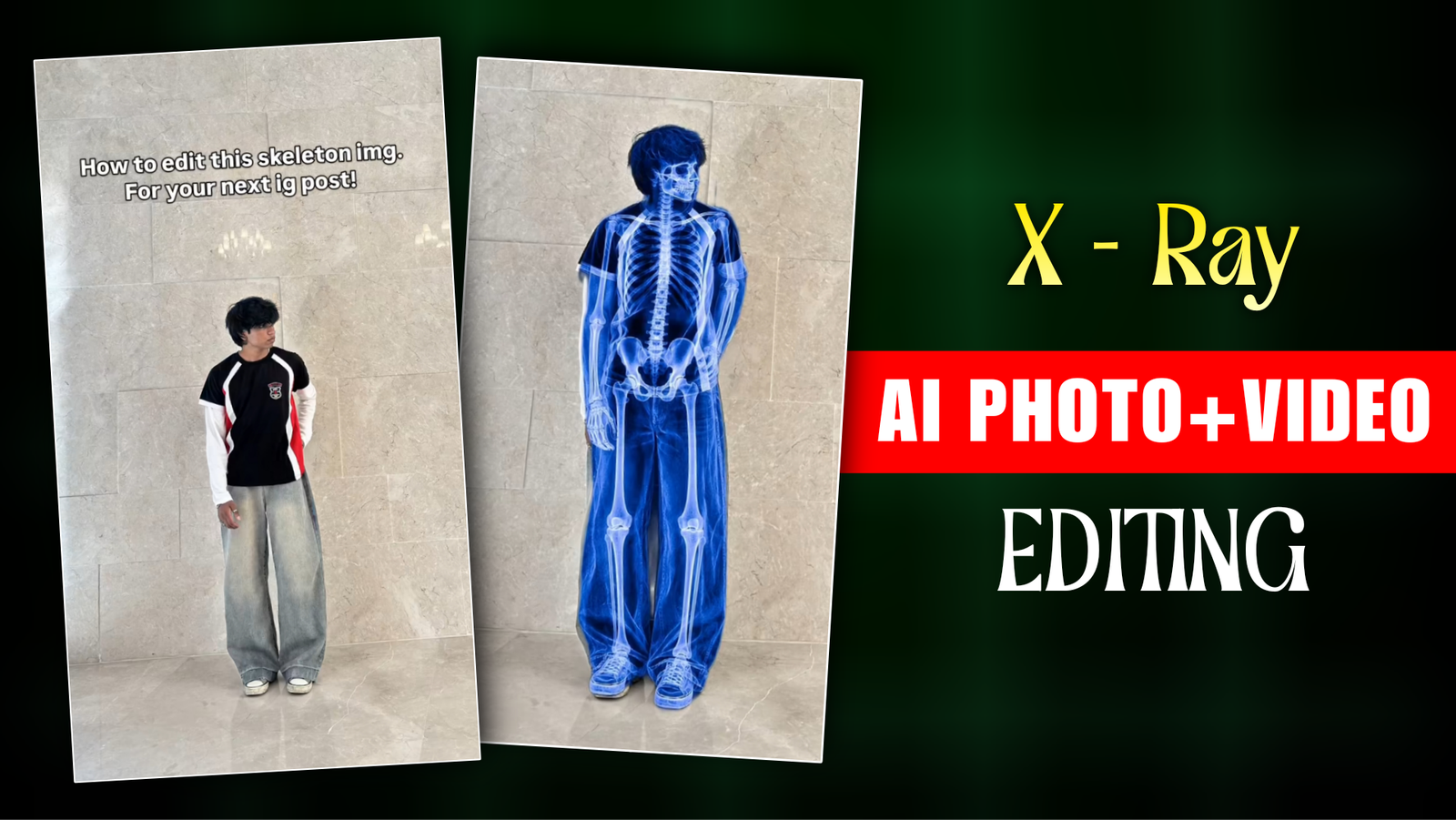
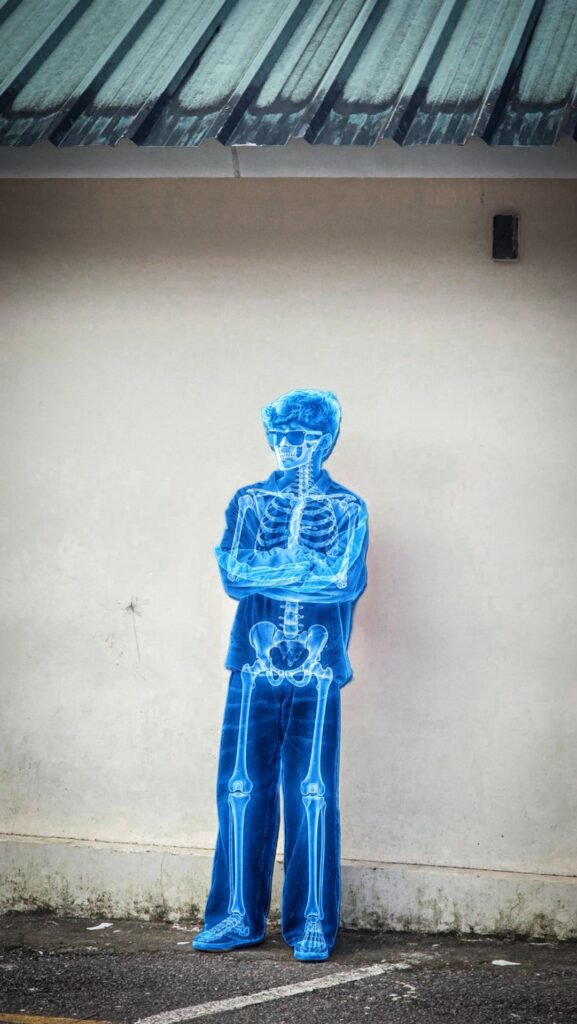
We have heard that X Ray is done to see if there is a problem with the heart or something. But this X Ray photo has now become a trend on Instagram. Creators are taking a single photo and converting it into an x ray body and posting it on social media. I mean, after the arrival of AI, editing has made it so easy for us that we can edit whatever we want. And it is going viral on platforms like Instagram, tik tok. This photo has been made with the help of AI in such a way that the heart and skeletons are visible from inside the model’s body. And I didn’t use any X-ray machine to create this photo. I created it using an AI photo generation app. I used my own idea to generate the photo and then turned it into a beautiful video that looks amazing. If you love following social media trends and want to post a unique video. Instagram Viral X- Ray Reels Editing is the perfect content idea for you.
Instagram Viral X- Ray Reels Editing
You may also think that to create such an X Ray Photo you will need a very big software and. You will not be able to edit it without a PC or laptop. If you think like this then you are wrong because. You do not need any software or PC to generate such an X Ray photo. It is possible to create it with chat gpt downloaded from the play store on your phone. You have to open chat gpt and upload a photo with a prompt .Then Chat Gpt will convert your normal photo into an X Ray photo. With that downloaded photo we will make a video which will be a before and after video. We will take help of capcut to edit the video. I will tell you step by step about X Ray photo with Chat Gpt and video editing with Capcut. If you want to do such Instagram Trending X Ray Video Editing, do not miss this article.
What Is Instagram Viral X- Ray Reels?
I never thought that such an X-ray photo would go viral. This photo is a funny photo. Doctors used to use an X-ray machine to make such photos, but now we are taking a full body x-ray photo without any machine and making a funny video with it. When this video is playing, you can see the Before and After photo. First, your photo is shown, then your x-ray photo. An English song has been used with it, which makes the video even better. If you want, you can change the English song and add Bengali, Hindi, Nepali songs. Do you want to know how to make an X-ray photo and convert that photo into a before and after video? But don’t forget to watch the entire article.
Best Way To Convert Normal Photo To X- Ray Photo?
To make such an x ray photo, we need to see how we will shoot the photo first. Here if we use half photo selfi photo then our x Ray photo will not look good. For that we need to use a Full Photo which can be seen from head to toe. With this if you go in front of a wall and take a photo the video can be edited better. We will edit the video in the next step before we make the X Ray photo with the help of Chat Gpt Ai.
Chat Gpt Ai:- First of all we will open the chat Gpt App from google. Through it we will create an account with Gmail ID, Phone Number. If we do not create an account then the photo will not be generated. Through it we will click on Plus Option and upload the reference image. Then we will copy and paste the prompt given on my website. At the end of the video we will click on send bottom to generate the photo. Then our X Ray photo will be generated. By following these simple steps we will be able to generate an X Ray photo.
Use the uploaded photo as the exact
reference. Preserve the exact person,
face, pose, clothing, body proportions,
background and composition. Transform
the person into an intense, highly
detailed medical X-ray effect.
Make the entire skeleton clearly
visible with a STRONG vivid
electric-blue and bright cyan glow,
including skull, spine, ribs,
pelvis, arms, hands, legs and feet.
Bones must be extremely sharp,
crisp and high-contrast, with bright
glowing edges and realistic X-ray
transparency. Keep the original
clothes and background subtly visible through the blue X-ray layer. NO blur, NO hazy effect, NO soft bones, NO loss of skeletal details. Ultra-sharp, photorealistic radiography, deep blue overall tone, luminous blue-white bones,
dramatic high contrast.
Learn How To Edit Instagram Viral X- Ray Reels ?
Let’s see how to create X Ray photo generator with the help of Chat Gpt. First of all, we will import the Raw photo into Capcut app. Then we will add any song by clicking on add music. After adding the song, we will add our X Ray photo by clicking on Overlay and fill the screen. We will remove the background of the overlay photo with the help of Auto Remove Option. Then we have to keep the Overly Photo length for 2 seconds. Then click on the photo clip to duplicate it as much as the song has. Now we will keep 1 clip of the X Ray photo and delete one clip so that the Before After can be explained better to Aduince. Then we will export it and download it. In this way, we have to make our reels.
Overall
Through this post, you have seen how to convert any photo into an X-ray image using AI. You also learned how to create a “before-and-after” video using CapCut. I could have provided a template, but doing so wouldn’t have helped you develop any actual editing skills. It is always beneficial to learn some editing techniques while creating short videos. Since X-ray Reels are currently trending, I have just one request: if you want to grow your Instagram page, create one of these X-ray Reels right away. This X-ray image is not an actual X-ray; it is simply the result of photo editing. If you have any personal health issues, do not try to generate an X-ray image using AI. You need to consult a doctor for that; they will advise you on the appropriate course of action. This is just a photo editing creation.
👍
Khowaja rayees👥