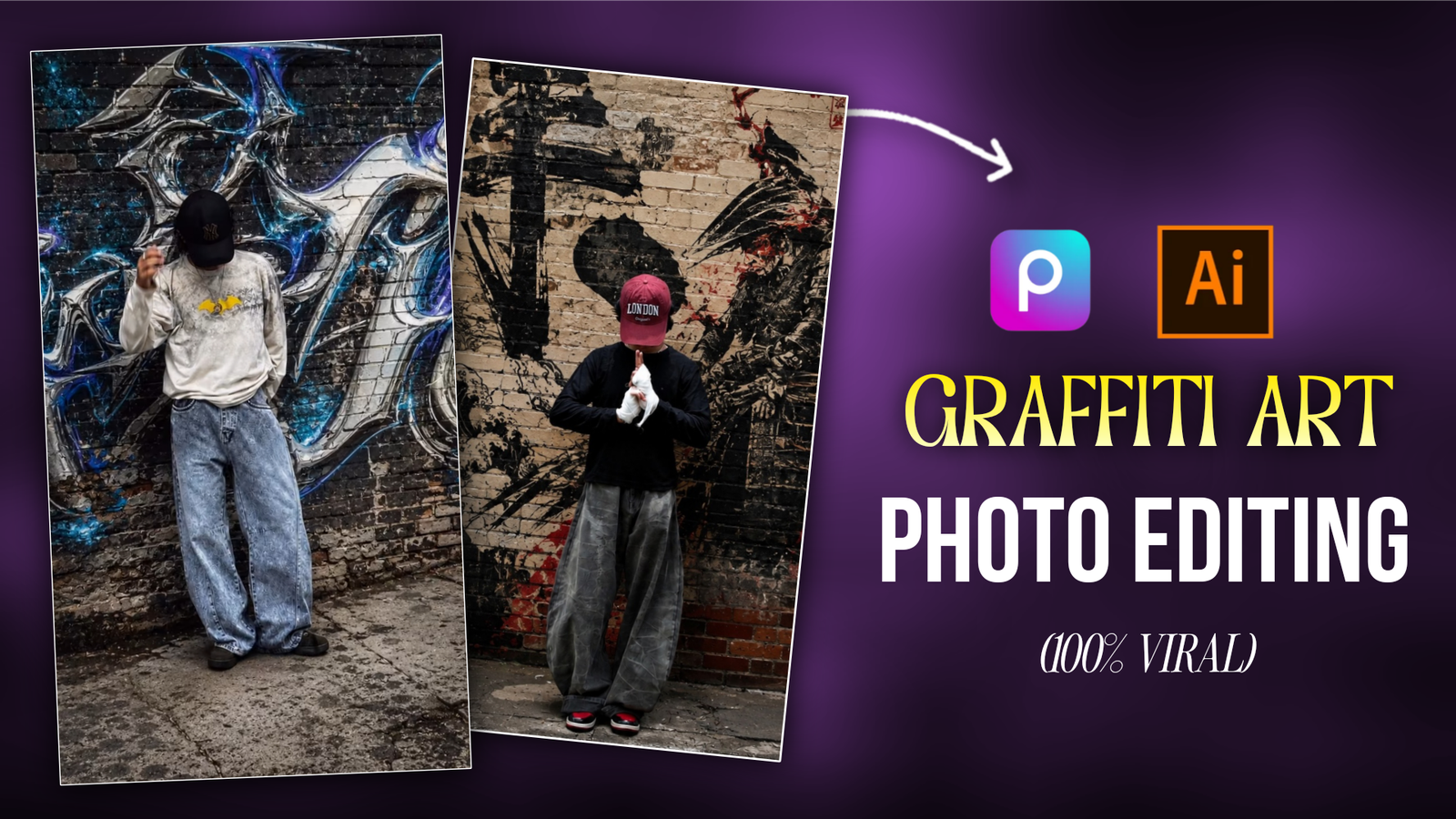
Turn Your Photo Into Graffiti Art-When we pass by the road, we see some walls painted with some spray paint. We stand next to that wall and take a photo. But the photo does not come out perfectly because the wall is old or we do not have a good camera. Many of us want to take photos in front of such walls but we do not. Such photos are called graffiti art photos. Where there is some graffiti on the wall or something else behind you with spray paint. If you use social media, you will see that people who are out of India like Europe, Canada, these people like such photos very much. They stand in front of that painted wall and take photos and post them on social media. But very few people do this in India. If you do not have a good camera, you cannot find any wall for the photo where it is painted with which you can shoot photos. Then you have clicked on the right post. Today I will show you how to make such graffiti art photos in two ways.
Turn Your Photo Into Graffiti Art
Making graffiti art photo is not that difficult if you know the right method then your editing will be easy. I will guide you through the editing steps through paragraphs. Now since photos can be edited with ai, we will also take the help of Ai. If you visit my website, you will also learn to edit manually with ai editing. I want you to learn some photo editing skills along with editing with ai. So that you can edit BASIC. And when we generate photos with ai, there is a problem that everyone has to face. This is not a big problem, if you write a single prompt, this problem will be solved. In this article, I will show you how you can make graffiti art photos manually and with the help of Ai? Additionally, I will share a method that helps you generate images using AI without altering your actual appearance.
What Need To Convert Your Photo Into Graffiti Art Photo?
Before going to edit the photo, we need to know what we will need, so that when we go to edit it, it will be convenient.
1. Graffiti Art Photo: – If we edit Graffiti art photo with the help of any photo editing app, then we will need a graffiti art photo. If you want to download unlimited photos. For that, download the Pinterest App and click on search and search for Graffiti art, if you scroll there, you will get many of them, download the one you like. In this way, you can download unlimited Graffiti art photos.
Photo Editing App:- I told you that I will show you how to edit manually. In Play Store you will find many photo editing apps like Picsart, Snapseed. I find it easy to edit photos with these two apps. Out of these, we will select PicsArt App for editing graffiti art photos. It is available in both Play Store and App Store. Download it from there.
AI PROMPT, APK:- I have shown you which app is required for manual editing. Now if you want to generate GRAFFITI ART PHOTO in JUST ONE CLICK. For that you will need a GRAFFITI ART PHOTO PROMPT and an AI PHOTO generation APK. If you don’t know how to generate prompt then COPY from my post. And for the app you can USE GOOGLE GEMINI. If you don’t have these two things ready if you want to make a photo Graffiti art photo in one click.
How To Edit Graffiti Art Photo Using PicsArt App?
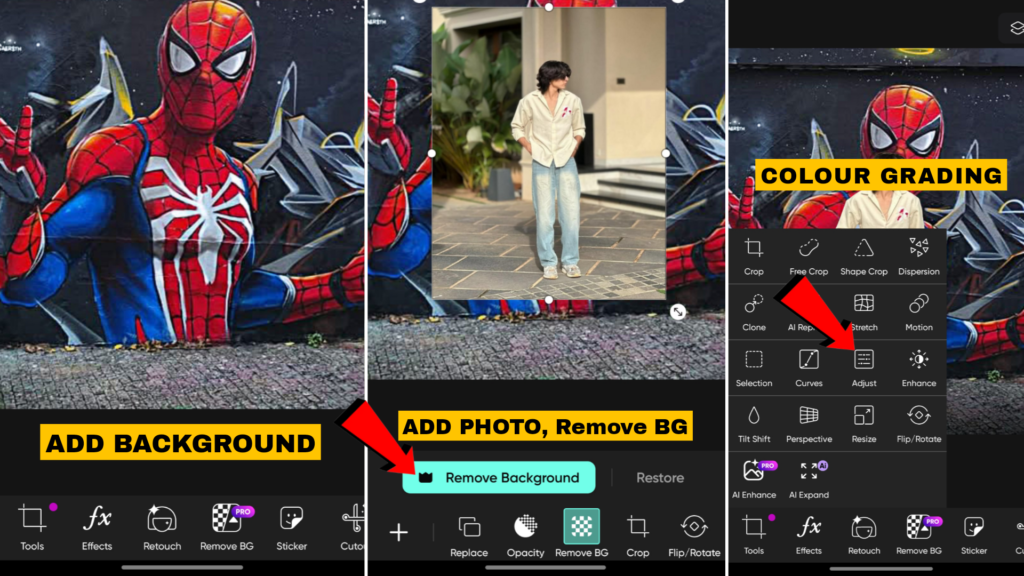
First of all, we manually edit the photo with the picsart app. As I told you, after downloading the graffiti art photo, you have to add that photo to the picsart app. Then you have to click on the add photo option and upload your photo. Remember that the photo you are using should be a full photo of the model. Then click on the photo and click on the background remove bottom, then the photo background will be removed. Once the background is removed, you have to adjust the graffiti art photo so that the photo looks real. After that, you have to do a little photo color grading. For that, click on the adjust bottom and do Light, Color, Shadow – + and see which one is better. In this way, you will do color grading in the photo, I am giving you an image that will make editing easier. In this way, we have to manually edit the graffiti art photo.
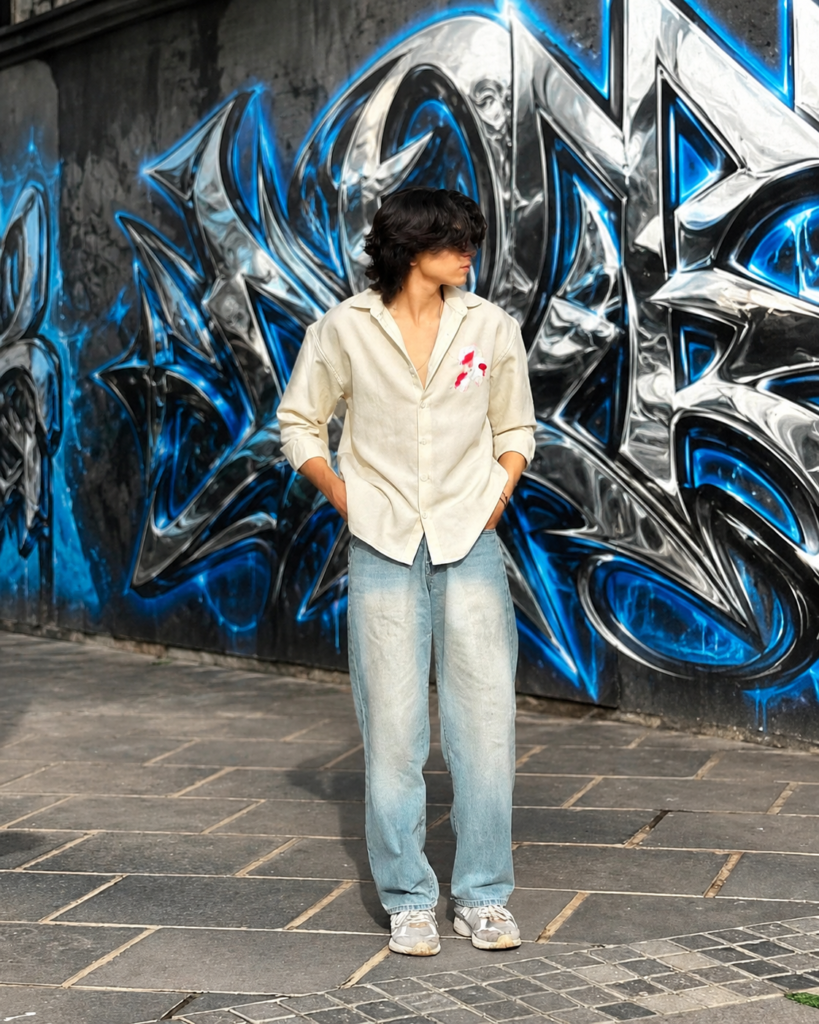
Transform the background into a
realistic urban graffiti wall.
If no wall exists, naturally
create one behind the subject. Use
intricate chrome-metallic graffiti
with glossy silver, black and vivid
electric-blue colors, 3D liquid-chrome
reflections and blue glow. Match the
original perspective, lighting and depth.
Keep the subject, face, body, pose,
clothes, hands, accessories and
composition 100% unchanged. Photorealistic, cinematic,
ultra-detailed.
How To Convert Your Photo Into Graffiti Art Using Ai?
Now you can make graffiti art photo in just one click, download google gemini app for that. After that click on your photo, you can click on this photo in any way. Open Google gemini, there you will see a feature of create image, click on it, then the feature of image generation will be on. To create the photo, click on Plus Bottom and upload the photo from the gallery with which you want to make graffiti art photo. Then copy the prompt that I have given, paste it in google gemini, then click on send bottom, then your photo will be created after some time. In this way, we have to generate graffiti art photo with Google gemini in one click.
If your AI-generated photo doesn’t match your face, follow these tips to fix it.
I said that in first paragraph I would suggest a way to help fix various facial issues in AI-generated images. Additionally, include this line when writing the prompt: “Preserve the accurate facial identity and features from the reference image.” This prompt will be very helpful in achieving a good result; upload a clear selfie as the reference image. By following these steps, you can significantly improve the facial resemblance—or ‘face match’—and resolve this issue.
Transform the background into a
realistic urban graffiti wall.
If no wall exists, naturally
create one behind the subject. Use
intricate chrome-metallic graffiti
with glossy silver, black and vivid
electric-blue colors, 3D liquid-chrome
reflections and blue glow. Match the
original perspective, lighting and depth.
Keep the subject, face, body, pose,
clothes, hands, accessories and
composition 100% unchanged. Photorealistic, cinematic,
ultra-detailed.
Sam.x09
Yeys
Nndbd dncbdcZ xxbd gbs a. Z gwvs. Gd s s sg qhitqholns tsh
Adarsh ram