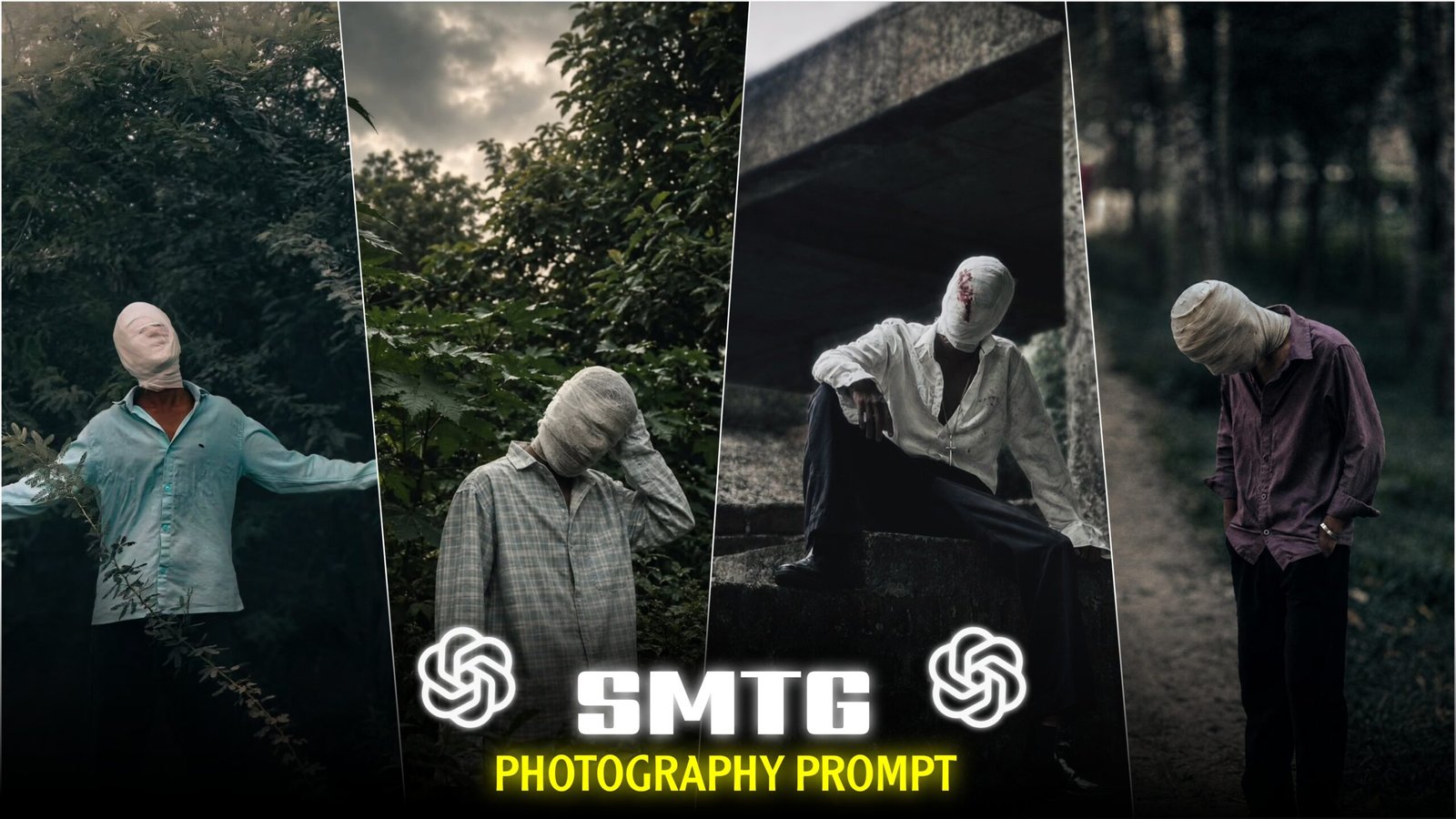
Cinematic Bandaged Face’ Photo Editing – For the past few days, I’ve been seeing a specific type of photo repeatedly on Instagram: a person standing in a garden with a white bandage wrapped around their face. The image is edited in a way that gives it a striking, dark, and cinematic look. I’ve seen some of these photos garner over 10k to 20k likes in just 24 hours. It’s clearly becoming a new trend. I decided to try this style myself; I took a photo wearing a bandage, posted it on Instagram. It received over 5k likes. Since many people asked for the prompt in the comments.
I thought I’d write a post explaining how to create and use the prompt for this look. It is possible to create this ‘Cinematic Bandaged Face’ look using AI from a simple, ordinary photo of yourself. In today’s post, I’ll walk you through the entire process of how to do it.
What is this “Cinematic Bandaged Face” photo editing trend?
You may have seen images like this featuring a white bandage wrapped around the head and face. Small red cross marks near the eyes and the corners of the mouth, and a cinematic look achieved through dark, dramatic lighting. The image is defined by three key elements: the white bandage extending from the head to the neck. The faint red cross marks near the eyes and mouth (suggesting a fresh injury). And a moody, dark background. Together, these elements create a cinematic aesthetic.
However, you don’t need to buy actual bandages or organize a photoshoot to achieve this. Using AI and the prompt I’ve provided, you can create an image just like this one using your own photo. No matter where you are, simply combining your photo with the prompt will instantly add the head bandage and the cinematic color tone. Let’s see how you can create this using your own photo.”
What do you need For Cinematic Bandaged Face Photo editing?
You don’t need much for this edit—basically, just three things are required.
1. A photo of yourself —
You obviously need a photo, but the style of the photo matters. There’s no need to actually wrap bandages around your face while shooting—AI will handle that. However, try to strike a unique and aesthetic pose when taking the picture; this will make the final edited image look amazing.
2. An AI prompt —
After taking the photo, you’ll need a detailed prompt. You can write one yourself, or use the example image and the exact prompt I’ve provided below—feel free to copy and use it directly. I’ve personally achieved great results with this prompt.
3. An AI photo generator app —
To create this edit, you’ll need an AI photo editing app. I mostly use ChatGPT and Google Gemini—both yield excellent results.
Once you have these three things ready, you can easily edit photos in this style.”
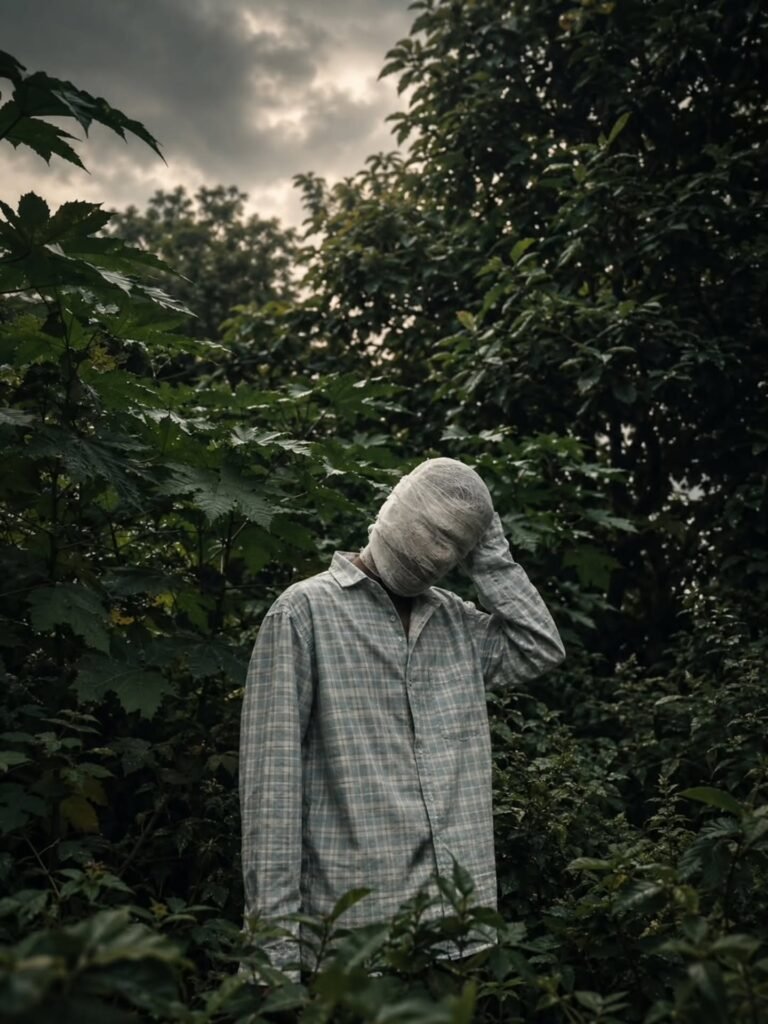
THE PROMPT 👇
Create an ultra-realistic cinematic portrait
 using the uploaded photo as the exact
 reference. Preserve body proportions, pose,
 posture, hands, arms, clothing, accessories,
camera angle, composition and framing unchanged.
 Completely wrap the entire head and face
 in thick, opaque off-white cotton bandages
 with overlapping layers. Fully cover hair,
 forehead, eyes, eyebrows, nose, cheeks, mouth,
 jawline, chin and ears. No facial features,
 skin, gaps, openings or recognizable face
shape should be visible. Keep the original
background unchanged. Apply a dark moody
cinematic color grade in the photo, deep shadows,
 subtle warm highlights, atmospheric haze,
 natural HDR, contrast and film grain.
What Kind of Photo Works Best For This Edit?
Let’s find out exactly what the photo you’re using should look like when editing a Cinematic Bandaged Face photo.
Since the bandages will be placed on the head and face, it is important that your face is clearly visible in the photo. Use images where the head is not covered with a hat, scarf, or anything else—it’s easier for the AI to apply bandages if the face and head are completely open. Since the final image will have a dark cinematic color tone, the original image needs to be captured in daylight and be clear. Avoid selfies—instead, have someone take a picture from a distance, in a good location, looking directly at the camera or looking away. Keeping these few things in mind will make your photo suitable for this edit.”
How do you edit these photos?
First, take a few photos of yourself in various unique and aesthetic poses. Once you have the photos, open the ChatGPT or Google Gemini app on your phone (desktop users can use the website; the process remains the same). If you are using it for the first time, sign up using your email. Next, click the plus (+) icon, select the gallery option, and choose the photo you want to edit. Now, copy the prompt provided on my website, paste it below the photo, and click the ‘Send’ or ‘Generate’ button—your edited image will be ready within a few seconds to a minute or two. Once the image is generated, save or download it—and that’s it; your ‘Cinematic Bandaged Face’ image is ready!
FAQ
- Is it possible to do this edit using photos taken at night, or are photos taken in daylight required?
Yes, you can generate images with bandages using photos taken at night, but you will notice a distinct difference compared to daytime photos. In photos taken in daylight, the bandage looks so realistic. That it is hard to tell whether it is genuine or AI-generated. However, in night photos, the bandage might appear somewhat artificial or ‘unreal.
The reason for this is simple: the more clearly the AI can scan your face. The more precisely it can place the bandage. Daylight reveals facial details clearly, leading to better results. Whereas low visibility at night makes details harder to capture, resulting in a less perfect outcome. Therefore, it is best to use photos taken in daylight for the best results.
- Will this editing cost money, or can it be done using the free versions of ChatGPT or Gemini?
No, neither ChatGPT nor Google Gemini has charged extra for image generation so far—you can do this using the free versions. However, there is a limit: you can generate about 5–7 images at a time, after which you have to wait for a while. Once that waiting period is over, you can generate new images again.
- Will this edit work properly if the photo is taken while wearing glasses?
Even if you wear glasses for style, I would advise removing them while taking the photo; light reflecting off the lenses can hinder the AI’s ability to clearly scan your face, potentially preventing the virtual bandage from being applied correctly. However, if you cannot manage without glasses due to a vision issue, it is fine to wear them—simply removing them for that one minute while the photo is being taken is sufficient.
Overall –
“So, this is how you can use AI to create a ‘Cinematic Bandaged Face’ look from an ordinary photo. Just remember to ensure the face is clearly visible and the photo is taken in good lighting—getting these two things right will yield the best results. If you aren’t happy with the background on the first try. Don’t worry—simply take another photo in a different location and try generating it again. You’ll get the best results by standing amidst dense foliage. Such settings provide great natural light and give the image an inherently cinematic feel. I hope your generated image turns out perfectly. Once you’ve created it, don’t forget to let me know in the comments how it turned out!”

Jungle per banaa do
❤️❤️❤️
Nice
How to iPhone photo send me
Humko video banana hai Banakar do
Create an ultra-realistic cinematic portrait
using the uploaded photo as the exact
reference. Preserve body proportions, pose,
posture, hands, arms, clothing, accessories,
camera angle, composition and framing unchanged.
Completely wrap the entire head and face
in thick, opaque off-white cotton bandages
with overlapping layers. Fully cover hair,
forehead, eyes, eyebrows, nose, cheeks, mouth,
jawline, chin and ears. No facial features,
skin, gaps, openings or recognizable face
shape should be visible. Keep the original
background unchanged. Apply a dark moody
cinematic color grade in the photo, deep shadows,
subtle warm highlights, atmospheric haze,
natural HDR, contrast and film grain
Create an ultra-realistic cinematic portrait
using the uploaded photo as the exact
reference. Preserve body proportions, pose,
posture, hands, arms, clothing, accessories,
camera angle, composition and framing unchanged.
Completely wrap the entire head and face
in thick, opaque off-white cotton bandages
with overlapping layers. Fully cover hair,
forehead, eyes, eyebrows, nose, cheeks, mouth,
jawline, chin and ears. No facial features,
skin, gaps, openings or recognizable face
shape should be visible. Keep the original
background unchanged. Apply a dark moody
cinematic color grade in the photo, deep shadows,
subtle warm highlights, atmospheric haze,
natural HDR, contrast and film grain.
3. A photo generator app –
To create these edits using AI, you will need an AI photo editing app. The
🎧💖
Create an ultra-realistic cinematic portrait
using the uploaded photo as the exact
reference. Preserve body proportions, pose,
posture, hands, arms, clothing, accessories,
camera angle, composition and framing unchanged.
Completely wrap the entire head and face
in thick, opaque off-white cotton bandages
with overlapping layers. Fully cover hair,
forehead, eyes, eyebrows, nose, cheeks, mouth,
jawline, chin and ears. No facial features,
skin, gaps, openings or recognizable face
shape should be visible. Keep the original
background unchanged. Apply a dark moody
cinematic color grade in the photo, deep shadows,
subtle warm highlights, atmospheric haze,
natural HDR, contrast and
Create an ultra-realistic cinematic portrait
using the uploaded photo as the exact
reference. Preserve body proportions, pose,
posture, hands, arms, clothing, accessories,
camera angle, composition and framing unchanged.
Completely wrap the entire head and face
in thick, opaque off-white cotton bandages
with overlapping layers. Fully cover hair,
forehead, eyes, eyebrows, nose, cheeks, mouth,
jawline, chin and ears. No facial features,
skin, gaps, openings or recognizable face
shape should be visible. Keep the original
background unchanged. Apply a dark moody
cinematic color grade in the photo, deep shadows,
subtle warm highlights, atmospheric haze,
natural HDR, contrast and film grain
Hello 👋
Hello 👋
using the uploaded photo as the exact
reference. Preserve body proportions, pose,
posture, hands, arms, clothing, accessories,
camera angle, composition and framing unchanged.
Completely wrap the entire head and face
in thick, opaque off-white cotton bandages
with overlapping layers. Fully cover hair,
forehead, eyes, eyebrows, nose, cheeks, mouth,
jawline, chin and ears. No facial features,
skin, gaps, openings or recognizable face
shape should be visible. Keep the original
background unchanged. Apply a dark moody
cinematic color grade in the photo, deep shadows,
subtle warm highlights, atmospheric haze,
natural HDR, contrast and
Bandaged man black t ‘shirt
shhh pose green forest
cinematic ultra realistic DSLR
Love 😘😘 a
Edit
Create an ultra-realistic cinematic portrait
using the uploaded photo as the exact
reference. Preserve body proportions, pose,
posture, hands, arms, clothing, accessories,
camera angle, composition and framing unchanged.
Completely wrap the entire head and face
in thick, opaque off-white cotton bandages
with overlapping layers. Fully cover hair,
forehead, eyes, eyebrows, nose, cheeks, mouth,
jawline, chin and ears. No facial features,
skin, gaps, openings or recognizable face
shape should be visible. Keep the original
background unchanged. Apply a dark moody
cinematic color grade in the photo, deep shadows,
subtle warm highlights, atmospheric haze,
natural HDR, contrast and film grain
Amir1234
Nice bro
Please give me capcut pro
Mafiy
Susanta Majhi
Nice clips
PROMPT
Tug
Please me
Please me
Mere ko ek kar do na bhai please 🥺🥺
7635817992
Trending