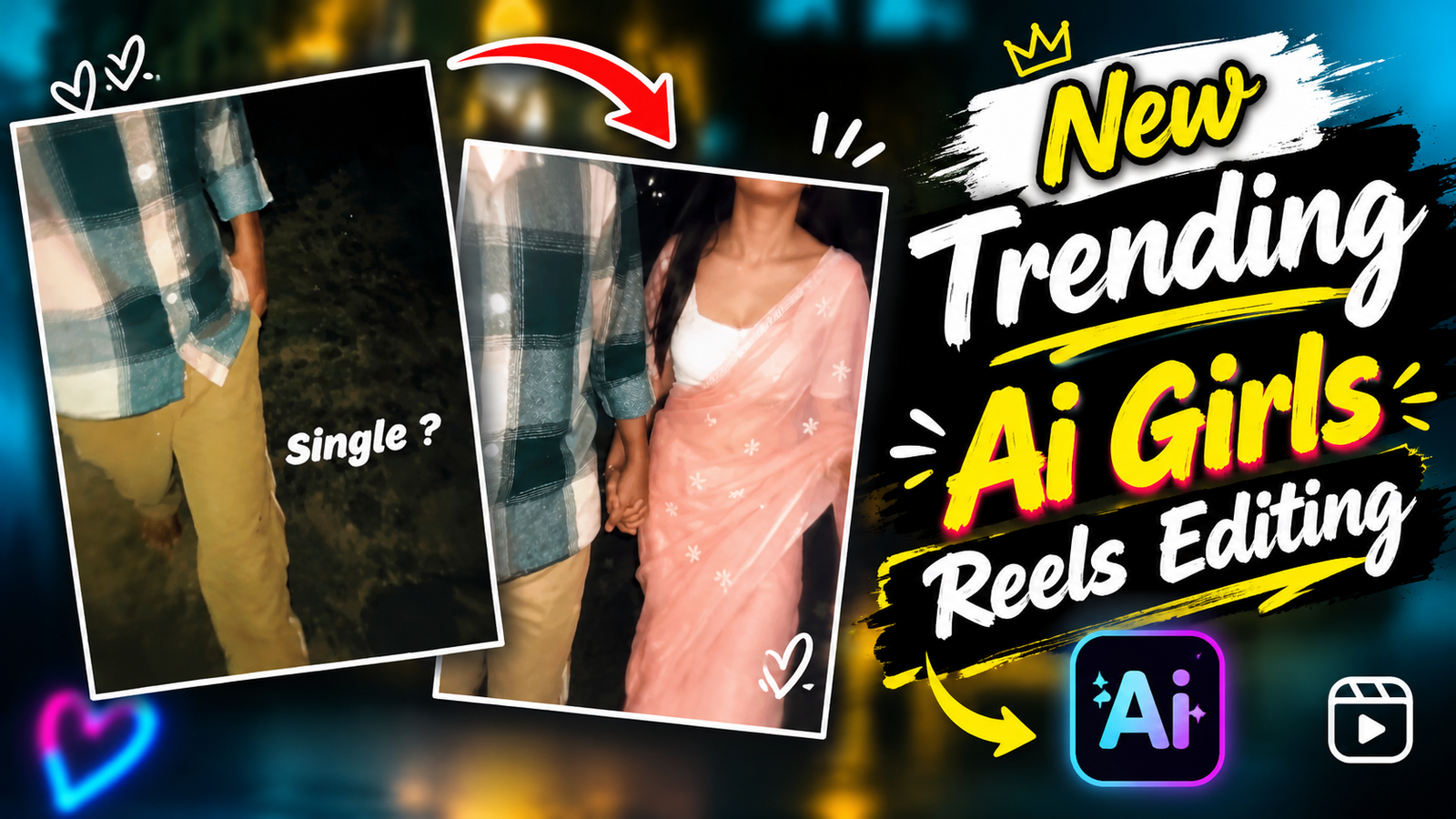
New Trending AI Girls Reels Editing-Many guys wish they could create “couple videos”—videos featuring them alongside a girlfriend. However, since they don’t have a girlfriend, they aren’t able to make such content. But nowadays, many people are creating couple videos even without having a girlfriend. You might be wondering, “How is that possible?” Well, it is—thanks to the era of AI! You can now use AI to add a girl (or a boy) to your side in your videos. While it was previously possible to add a person to your side using AI, you can now go beyond just static photos and create videos as well. To create a video, you first need to generate an image—for instance, by using a tool like ChatGPT—and then convert that image into a video. I will walk you through the entire editing process, step by step.
New Trending AI Girls Reels Editing
When I first saw this video on Instagram, I couldn’t tell whether it was AI-generated or real. I actually thought it was real. Then a tutorial video appeared in front of me, showing how this video was created using AI photo and video generation tools and prompts. Talking about the video, at first, we can see the boy walking with his hands in his pockets. Then a transition appears, and a girl gets added beside him. The girl wraps her arm around mine and walks with me. The way they walk looks exactly like a real couple. You’ll be surprised to know that creating this kind of video requires just 2 prompts. You don’t have to write the prompts yourself; I’ll provide them to you. Just copy and paste them to use. If you want to know how to use the prompts and which photo and video generation tools to use, follow the steps below.
What Need To Create New Trending AI Girls Reels ?
To generate these types of videos, we will need a few things. If you keep them ready, editing the video will become much easier.
First of all, you will need a video clip. To shoot this video clip, you have to hold your phone in one hand and keep it at an upper angle. Keep one hand in your pocket and make gestures with your hands in the same way shown in the video. You need to shoot a video like this.
Next, you will need an AI photo generation tool. For this, you can use ChatGPT. After generating the photo, you will need a video generation tool to create the video. The best tool for generating the video will be Google Flow AI, so use this website.
Lastly, you will need prompts. Whether you are generating a photo or a video, using the correct prompts is very important; otherwise, creating the video will become quite difficult. These prompts contain all the instructions related to the photo or video.
Now that we have everything ready, let’s generate the video!
How To Create New Trending AI Girls Photo?
If you have your raw video clip ready, then you are all set to edit the video. First, open the CapCut app and add your video clip. Then, go to the very last part of the video and take a screenshot there. After that, crop the screenshot. Now, open ChatGPT and upload the cropped photo along with the prompt I have provided. Copy the prompt and paste it into ChatGPT, then send it. After waiting for a few moments, you will see that your photo has been converted into a couple photo. Once the photo is ready, open it and download it.

How To Create New Trending AI Girls Reels ?
To convert the photo into a video, we need to copy the video prompt. After copying the video prompt, go to Google and search for Flow AI. Then, visit the website. There, you will see the “New Project” option. Click on it. Next, you will see a plus (+) option. Click on it and upload your photo. Once the photo has been uploaded, paste the video prompt into the prompt box. Then, click the Send button to start generating your video. Once the video has been generated, click the Download button and export it in 720p quality.
How To Create Edit Video Using Capcut?
Now, to prepare the final video, you need to add both your raw video and the AI-generated video to the CapCut app.
First, check the first clip. If there are any extra parts, split and remove them. Next, check the second video clip and delete any unwanted parts. Now, add a transition between the two clips. You will find a transition called “Zoom In.” Select and apply it between the clips. If you want to add a song from Instagram, you can do that. Otherwise, you can also add music directly from CapCut by clicking on the “Add Song” option. Once you have completed all the editing, export the video, and your final AI Couple Reels video will be ready!
Conclusion
If you follow this entire article carefully and use the editing styles I have explained, you will be able to generate this video very easily. You don’t need to do much editing in the video. The main work is generating the AI photo and video. If you create these two correctly, you won’t face any difficulties while making your video. You can find the prompts I have provided by clicking on the button at the bottom. I hope you now understand how to create an AI Couple Reels Video. If you face any difficulties while creating the video, let me know in the comments.
